
The complete buying journey
How to buy with Oopbuy, one stage at a time
Follow the official eleven-stage Tutorial with matching screenshots, from account setup to receiving the parcel.
The official Tutorial uses the 2024 interface. These matching images include privacy-redacted renditions where necessary; prices and promotions are historical examples. Current controls can differ. Official tutorial.
Register and keep the account private
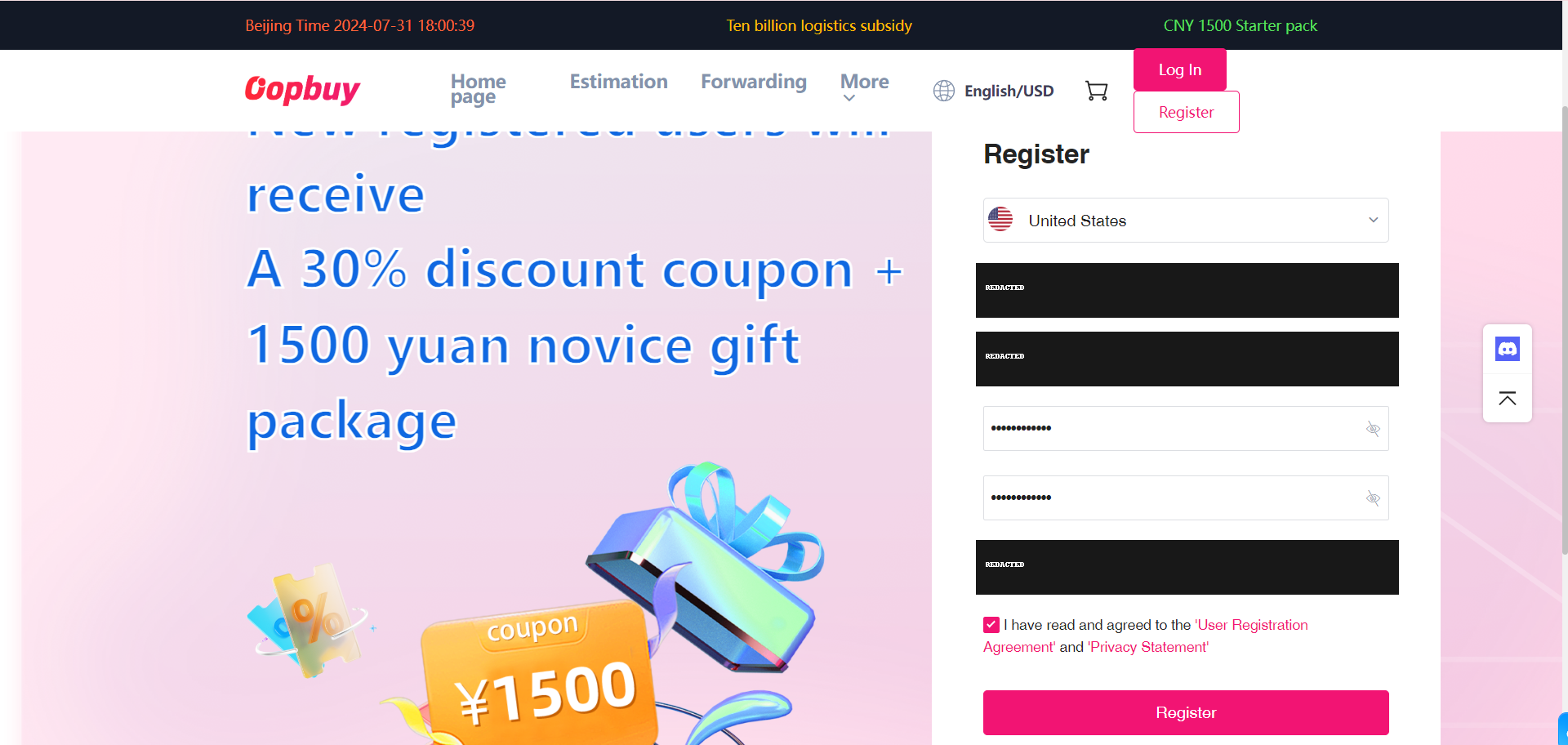
Begin on Oopbuy’s own registration page. Use an email you control, check the account settings and keep login details out of public communities. A product catalogue and the agent account are separate services: browsing here does not place an order or transfer money.
Read the coupon conditions
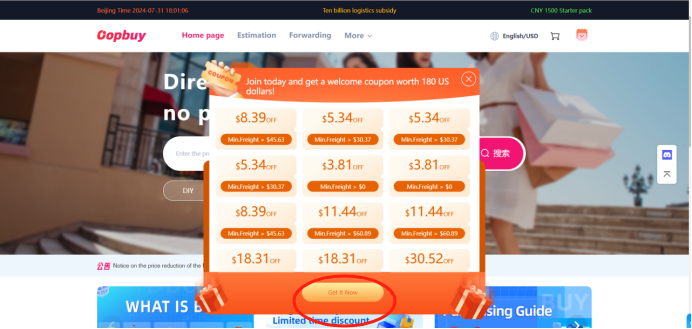
The official sequence next visits the coupon centre. Look at the type of bill, minimum spend, eligible line and expiry. A collection of coupon face values is not money already saved. The tutorial’s old offers are illustrations; use only the offer actually available in your account.
Bring the seller link into search
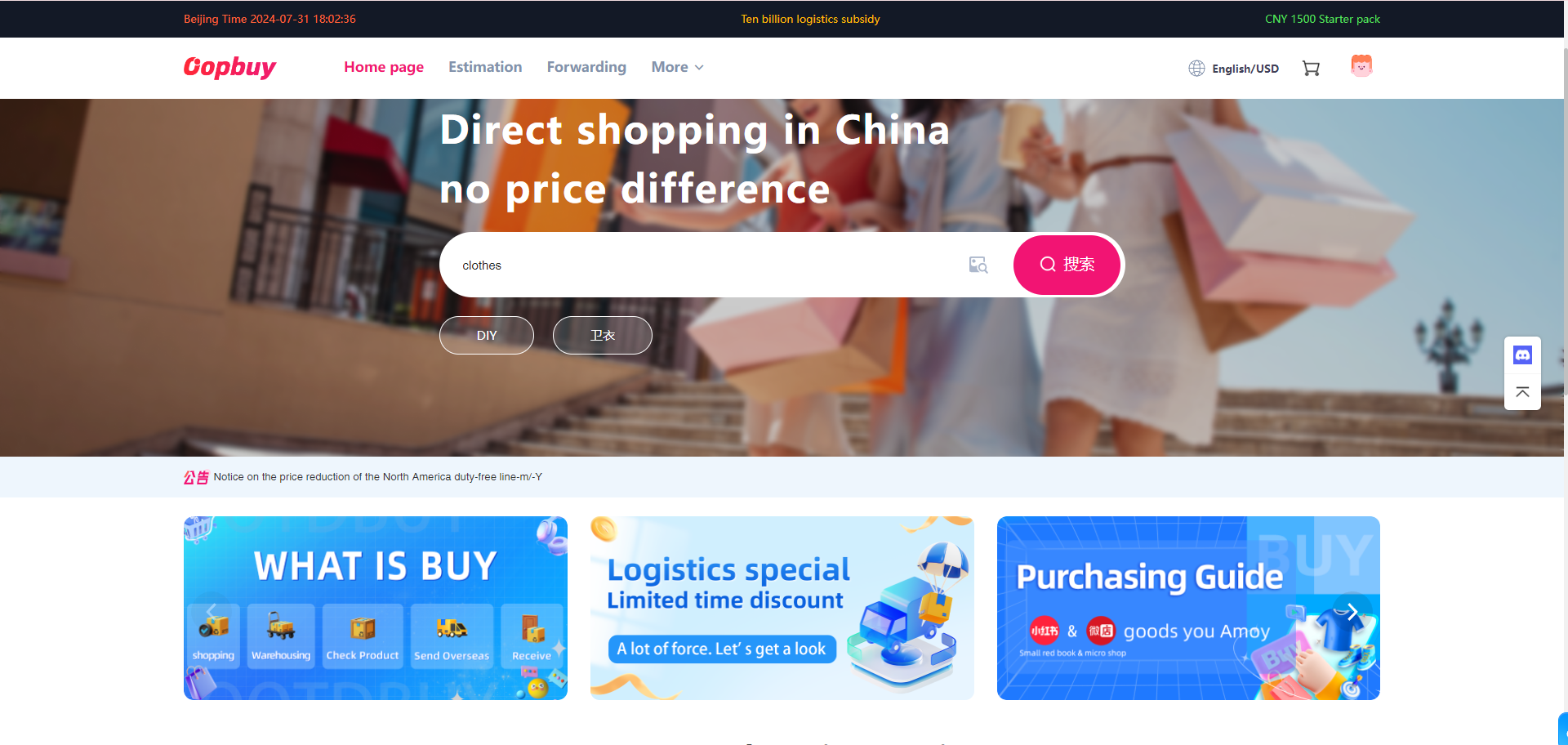
Open the candidate’s original listing and copy its product URL into the agent search field. Check that the captured seller and goods match. Keyword search can show a similar item from another seller. If capture fails, ask about a supported manual order rather than paying against an unverified lookalike.
Record the option you choose
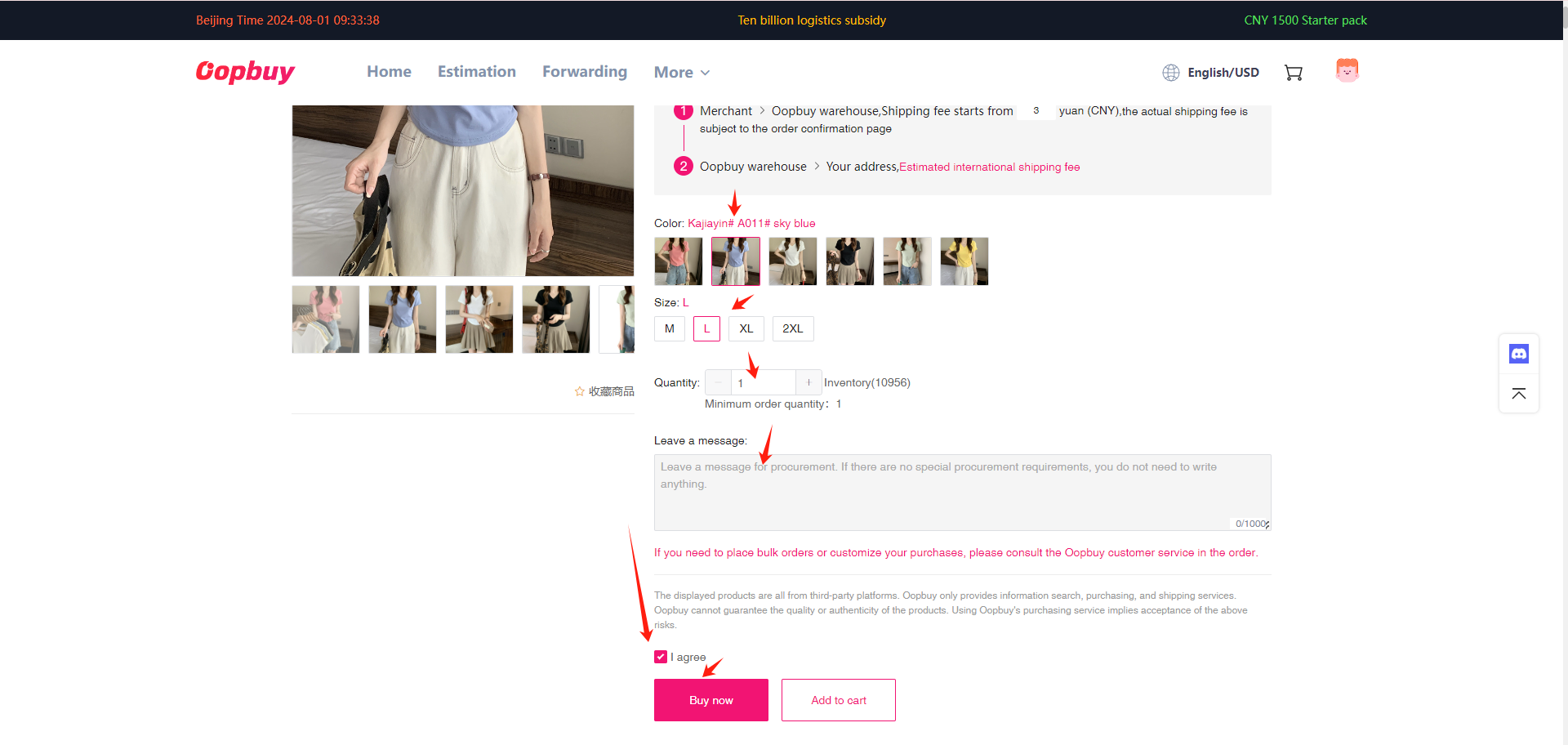
Select colour, size, quantity and any version details. Save the size chart and confirmed option. A later QC photo can only be compared usefully if you know what you ordered. For clothing, compare named measurements with a garment that fits; a label alone does not settle fit.
Confirm the first bill
Check the goods, domestic freight, quantity and remarks before paying. Read the credited currency and any funding fee separately from the item price. This payment buys the goods and their journey to the warehouse. International freight is a later decision based on what you actually send.
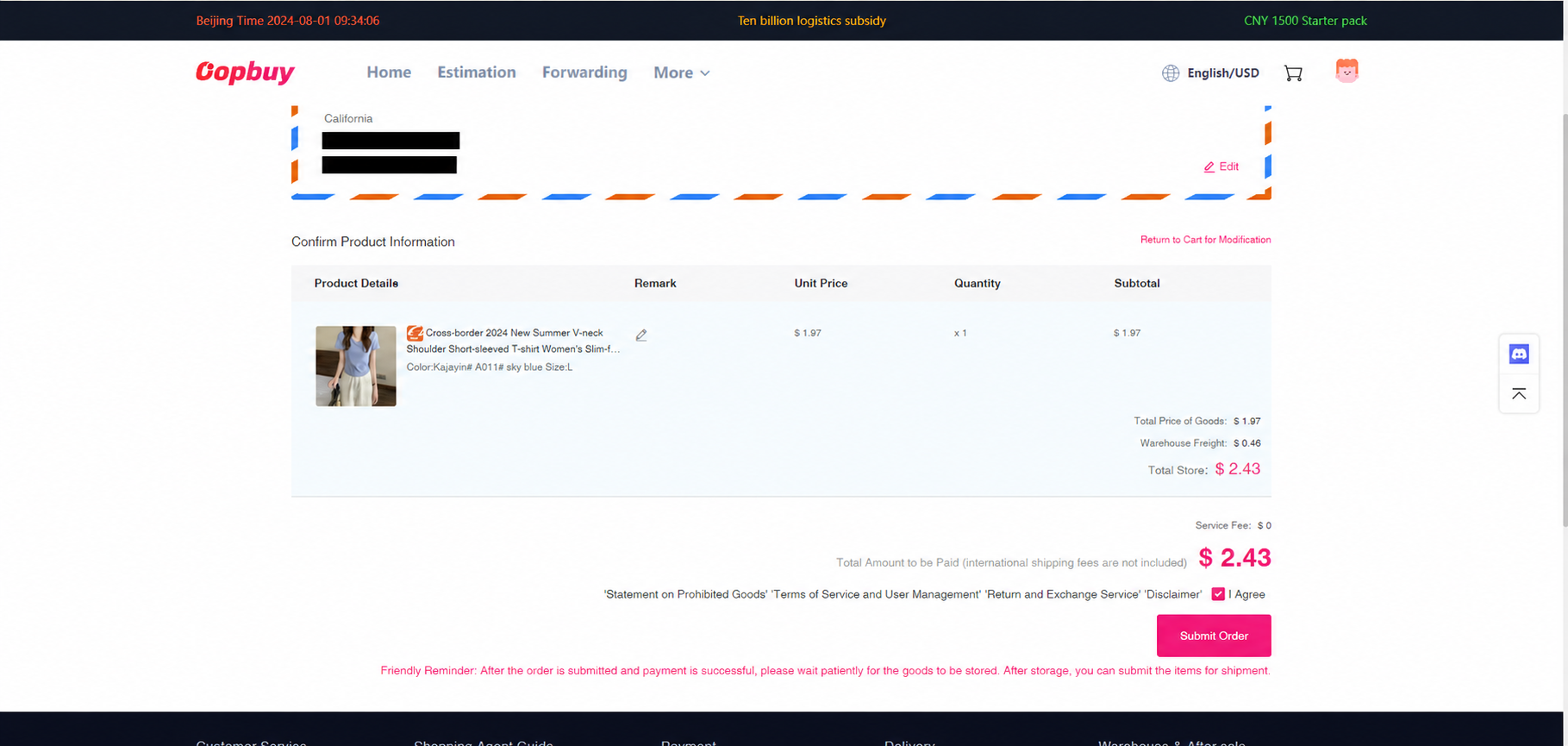
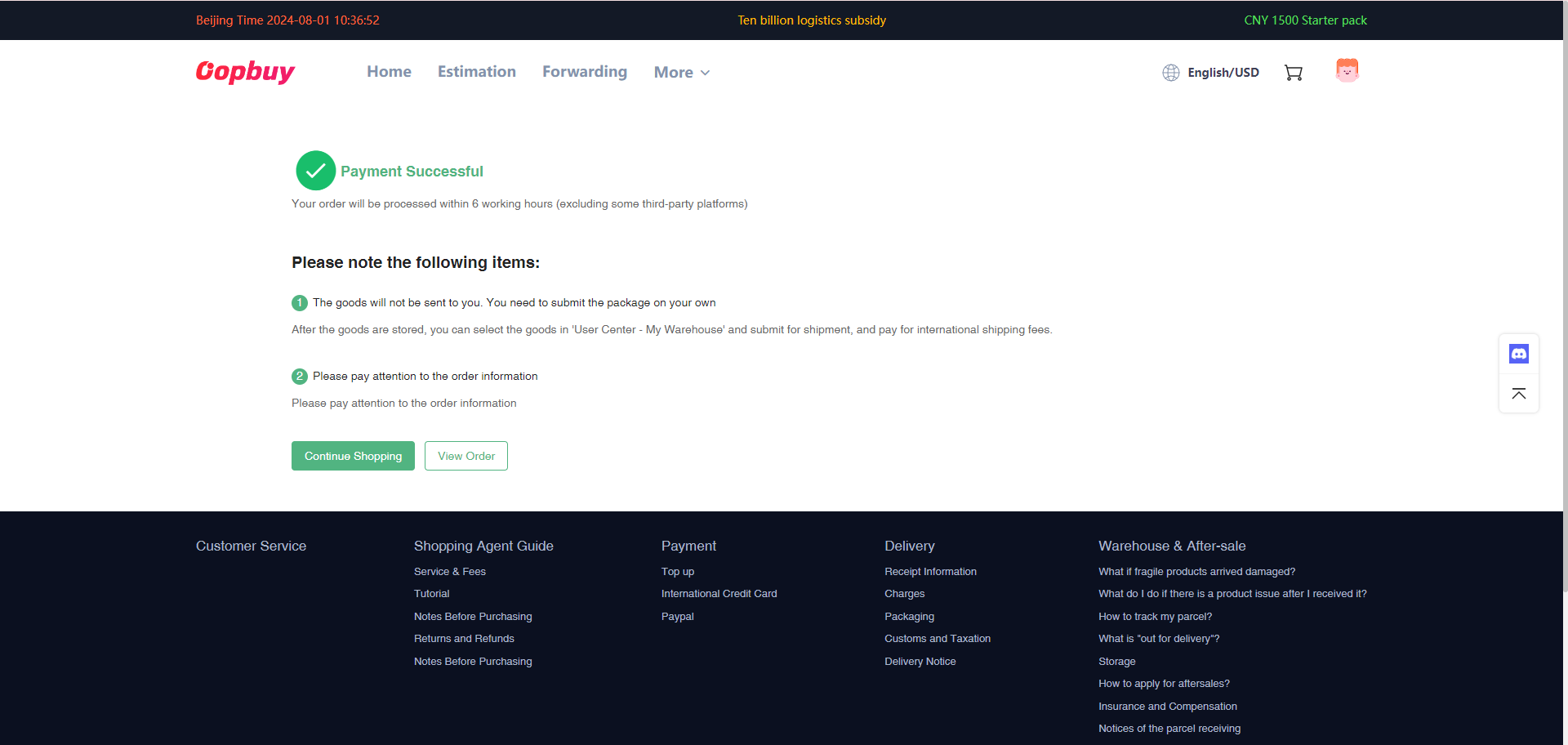
Watch the purchase progress
After payment, use the order record to distinguish buyer processing, seller dispatch and warehouse receipt. A delay or replacement question belongs in that order conversation. Keep the original variant record when a seller offers a substitute, and review the change before accepting it.
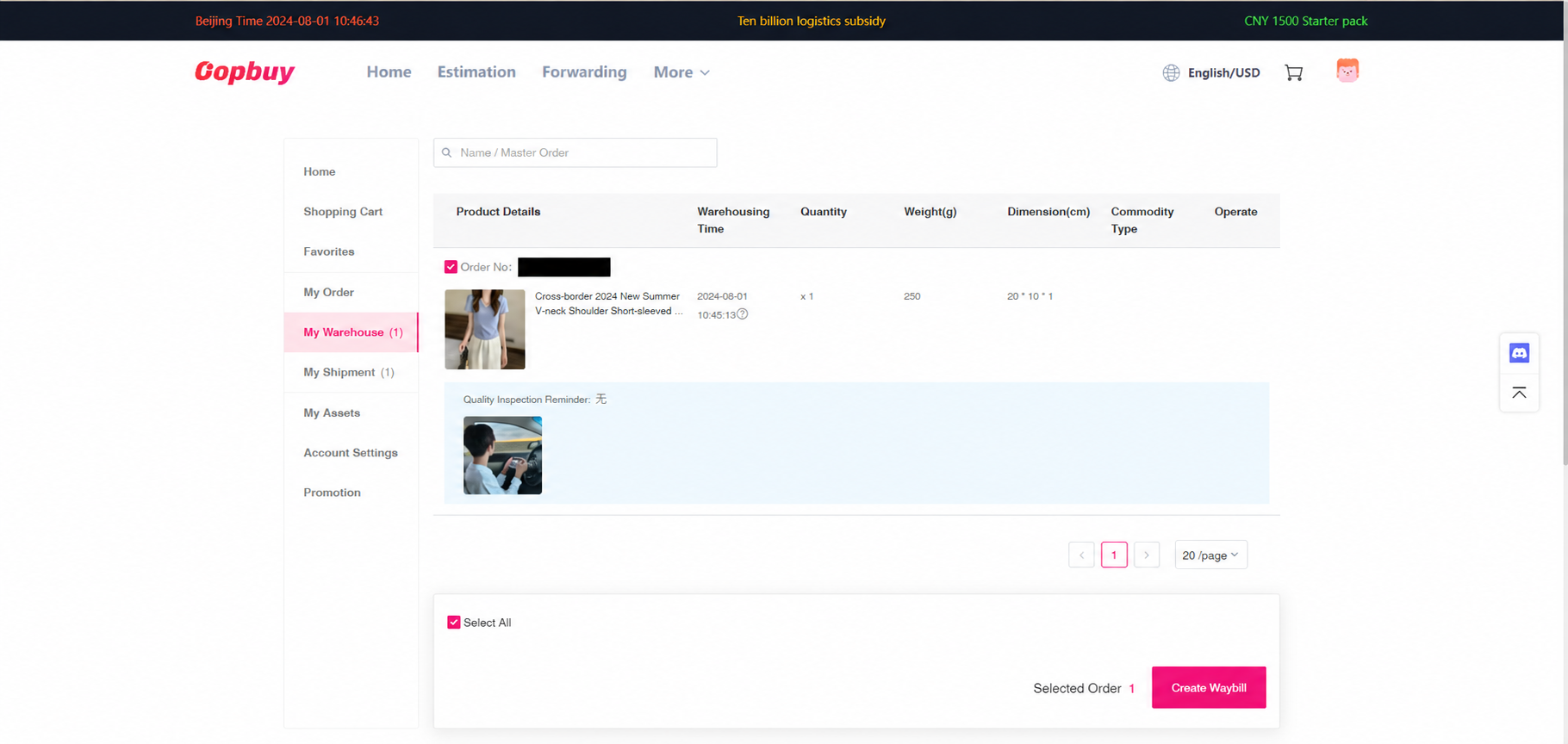
Read the QC before making a parcel
At My Warehouse, open each arrived item and compare its photos with the saved order. Check quantity, colour, label and visible damage. Ask for a missing angle or measurement promptly. Conditional seller returns and storage have different deadlines; another pending item does not pause them.
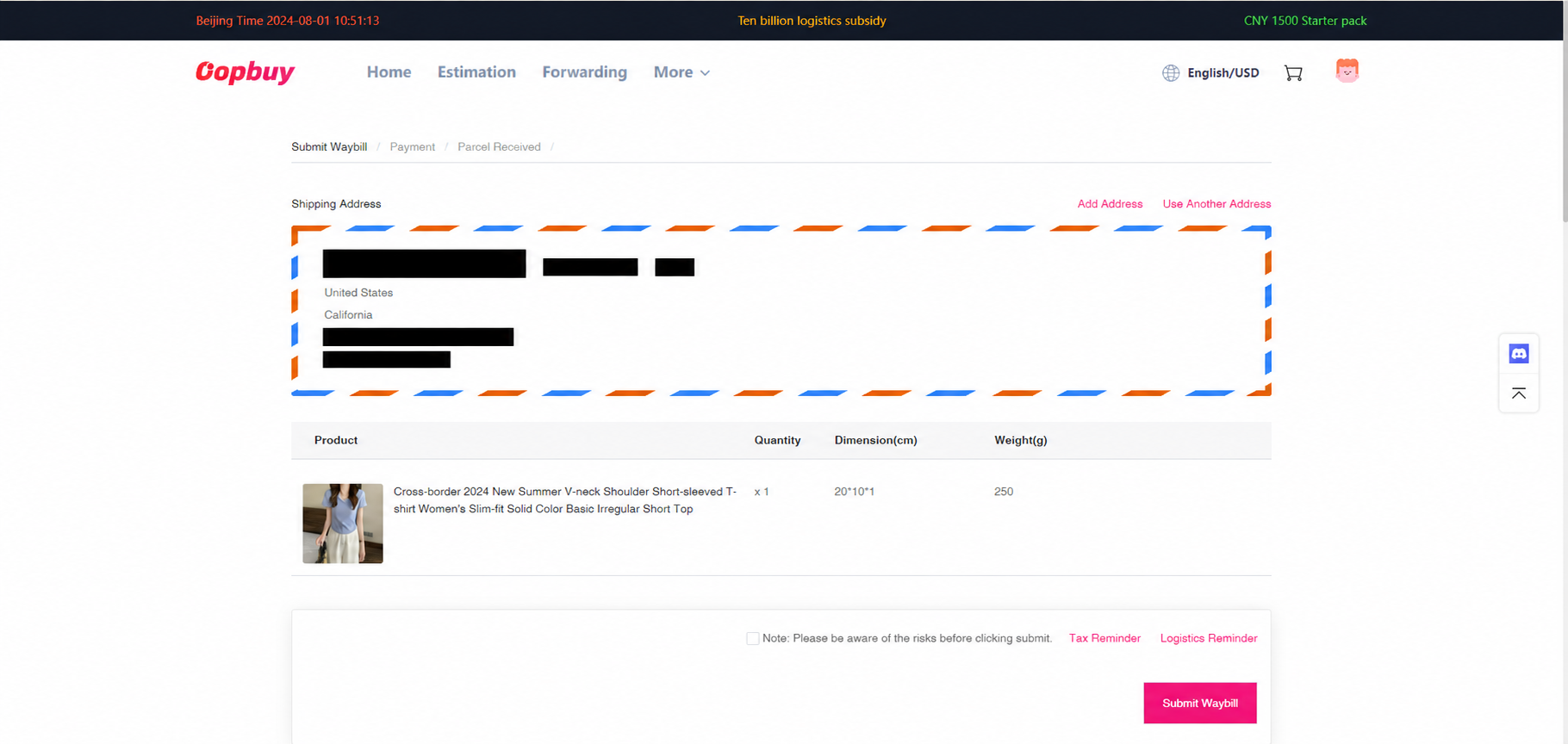
Review address, packing and protection
The official stage has three screens. First check recipient and goods; then choose packing and any protection; finally review payment. Consider how box removal affects protection and return eligibility. A line must accept the complete contents and destination, not just the heaviest item.
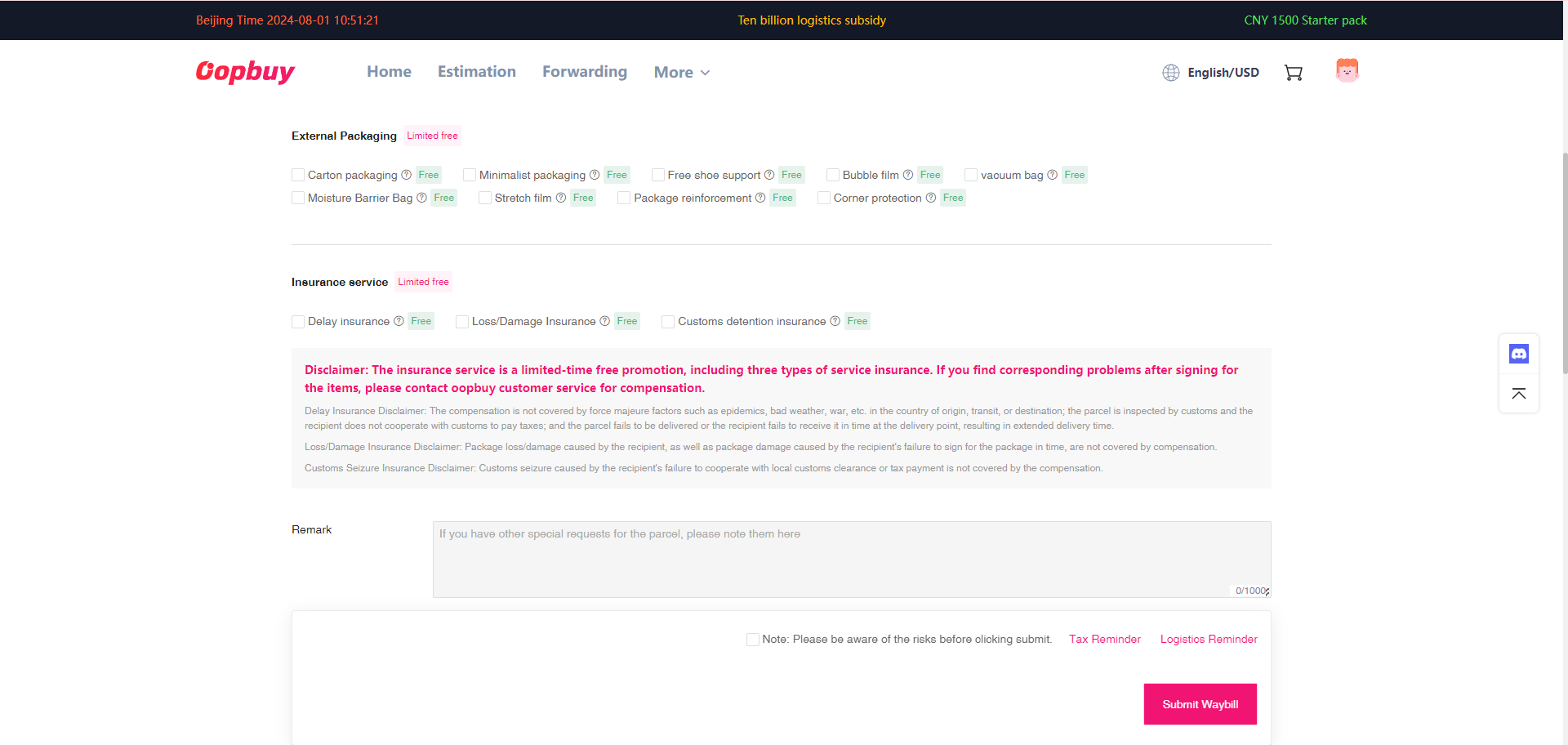
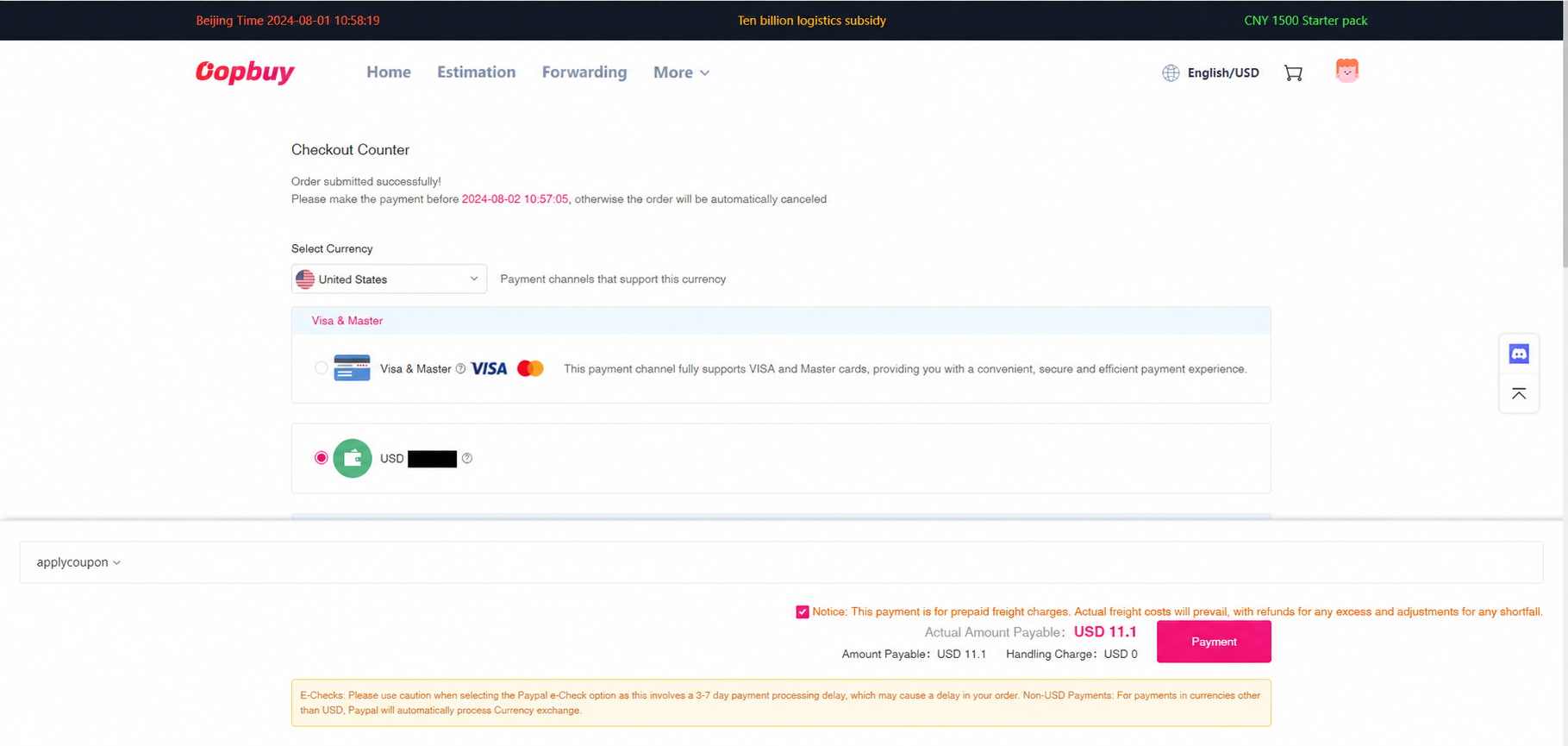
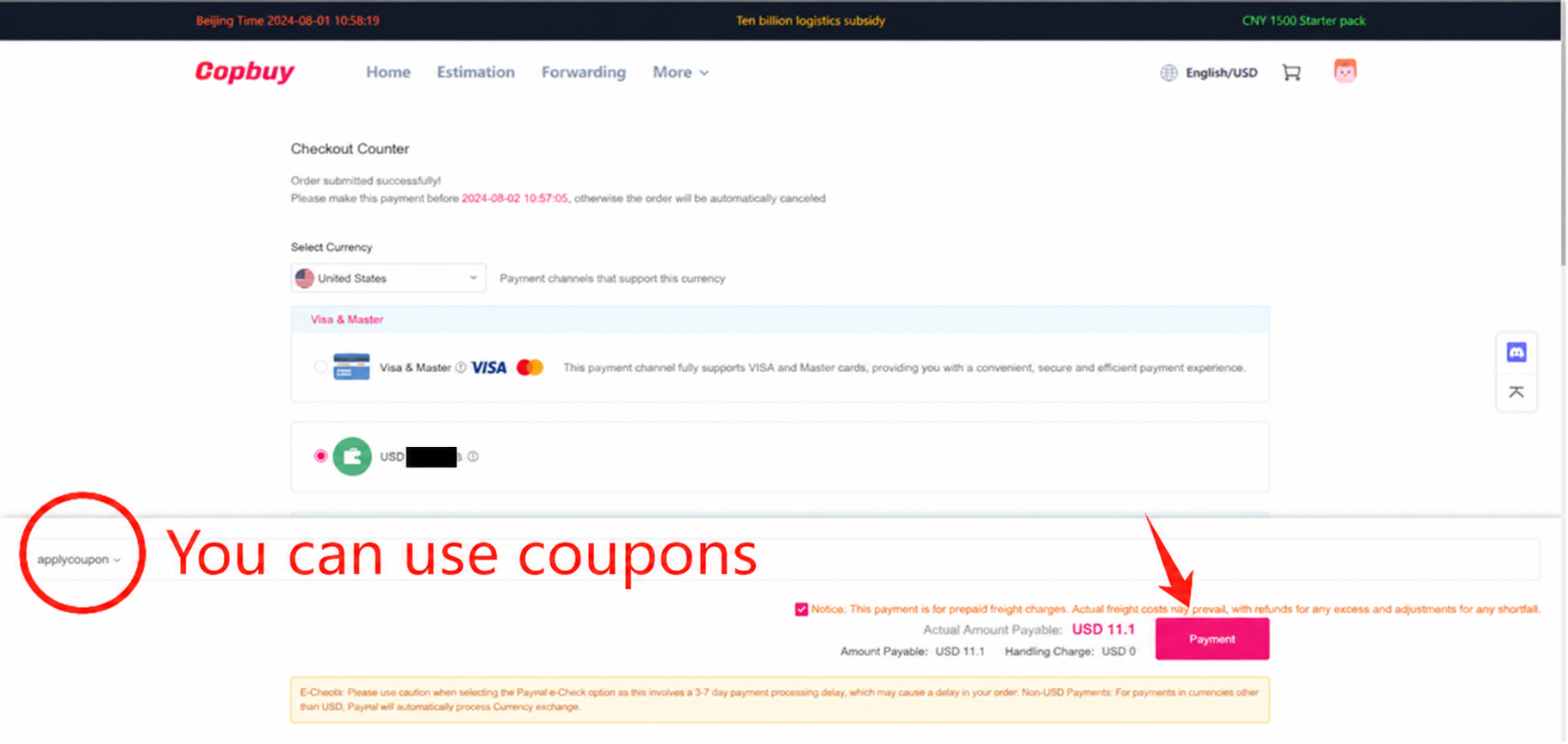
Pay the estimated freight
Confirm the route, estimated charge and any eligible shipping coupon. Keep a record of the amount and selected options. The tutorial shows an estimate that can be reconciled after packing; its currency, offers and price are not a current quote for your parcel.
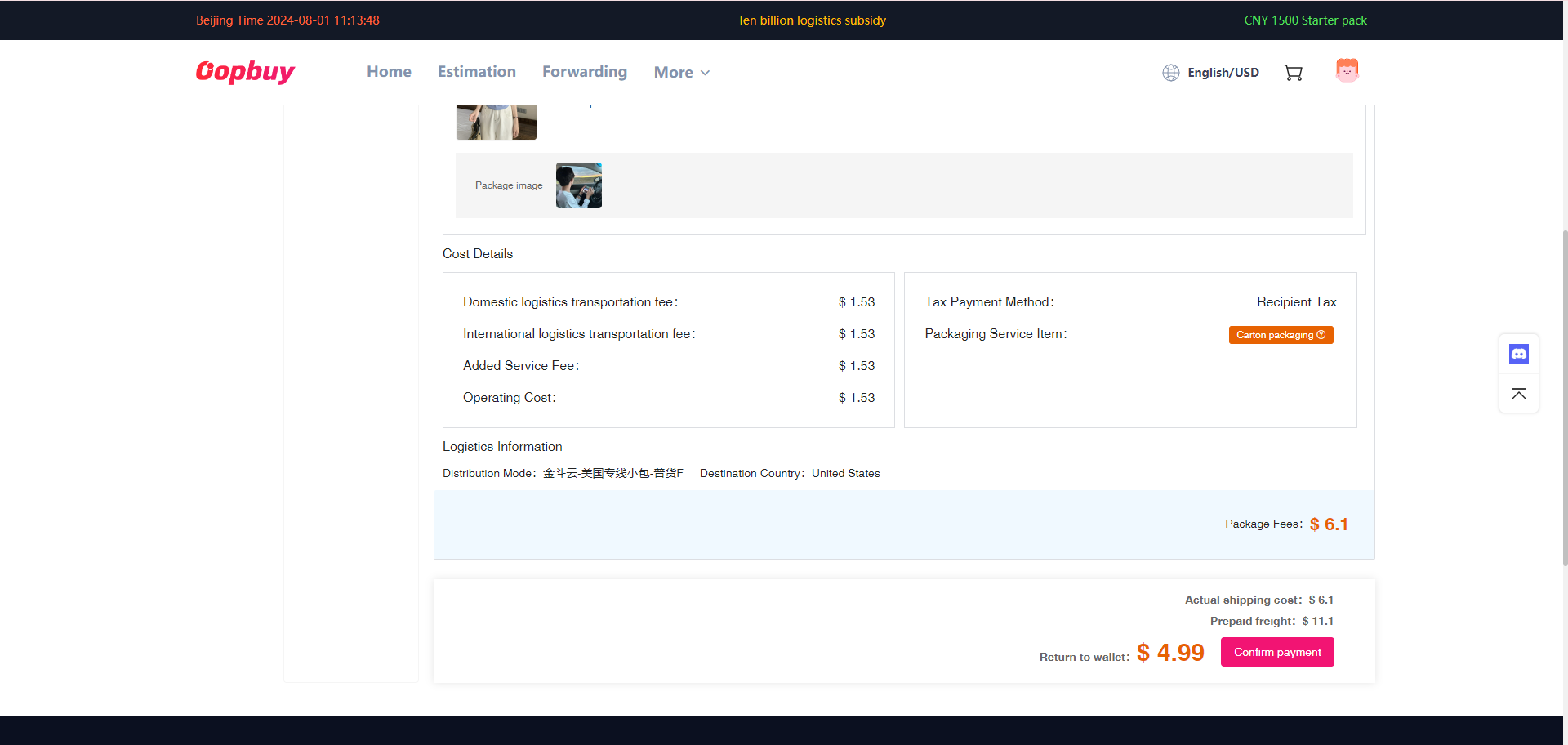
Compare the actual packed charge
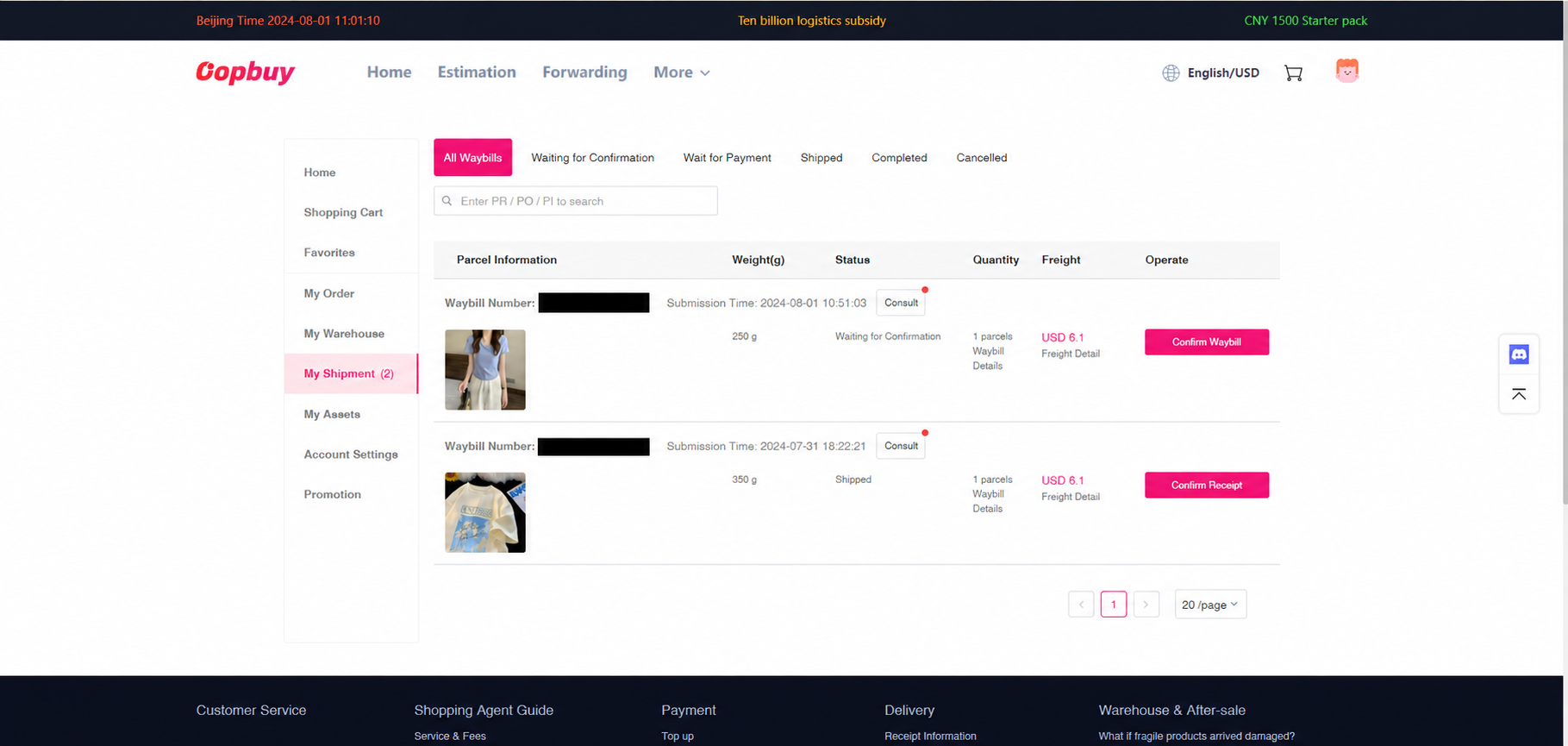
When the parcel is measured, compare the final route, outer dimensions, weight and extras with your estimate. Some lines charge using volume as well as scale weight. Ask about an unexplained adjustment; an account credit is different from a withdrawal to your payment method.
Follow scans and inspect delivery
After dispatch, read the carrier scan history. A created label is not proof of pickup. At receipt, retain packaging and labels while checking contents, and document a visible problem promptly. Contact the relevant parcel support channel with evidence and the conditions for that service.
Use evidence that answers the actual question
A size concern needs a measurement. A variant issue needs the saved order and its label. A parcel delay needs the route and scan history. Keep these records separate and describe the discrepancy precisely; a general request for “better QC” or “faster shipping” may not identify the action needed.
Read and request photographs · Return and storage notes · Costs and delivery